 StreamProofed
StreamProofed Configurator
Set up NVIDIA StreamProofing in a few clicks. Works with OBS. Not affiliated with the OBS Project.
Can't use your FiveM clips? Not StreamProofed? Or your city requires NVIDIA clips? OBS can be confusing to set up. StreamProofed Configurator does it in a couple of clicks, and sets everything so your clips show up in your NVIDIA Alt+Z menu with Testicle Bypass.
StreamProofed Configurator
$2.99 a month, cancel anytime. Sold separately from Testicle Bypass.
Watch: StreamProofed Configurator in 1 minute
See StreamProofed Configurator set up OBS clipping, step by step.
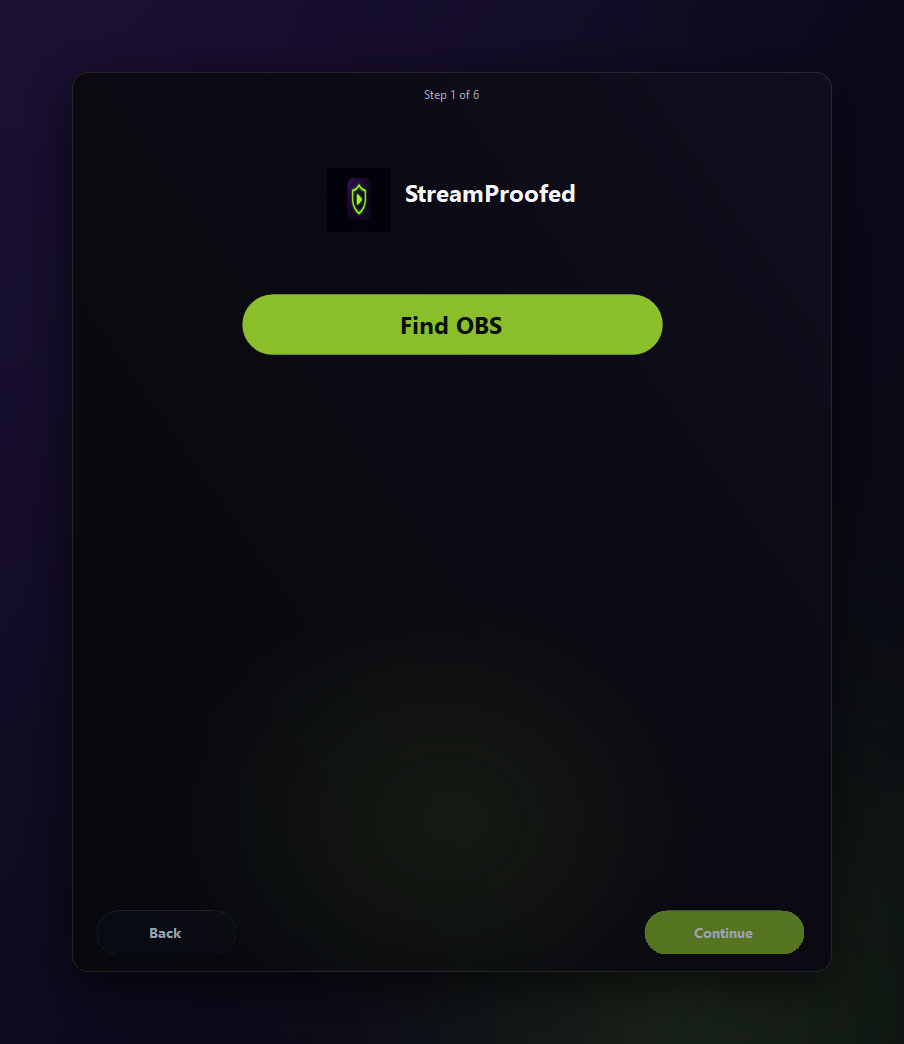
What it sets up: OBS Replay Buffer, F12, NVENC p5, mp4
Press "Close OBS for me" and, with OBS closed, it backs up your OBS profile, then sets:
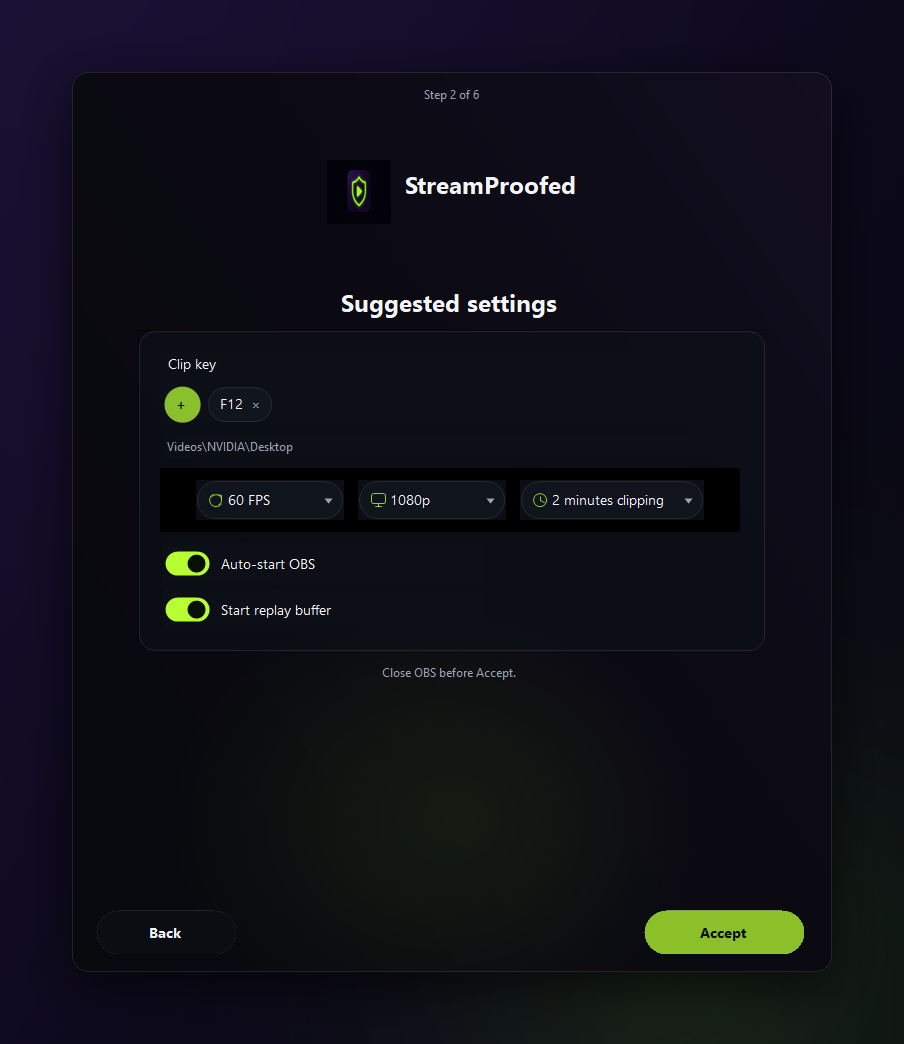
- OBS Replay Buffer on: 2 minutes (120 s), 2048 MB cap
- Replay buffer hotkey: Save Replay on F12 if it's unbound
- Clips saved as mp4 to Videos\NVIDIA\Desktop, the folder Testicle Bypass watches
- NVENC preset p5 on NVIDIA GPUs (OBS 30–32)
- Mic push-to-talk (optional)
- Prefers OBS Game Capture, which records the game window instead of your whole desktop
It finds OBS for you (or gives you a Download OBS link if it's missing) and closes itself when setup is done. Setup takes a few clicks. Prefer to do it by hand? See the manual OBS Replay Buffer setup.
- Finds OBS. Or gives you a Download OBS link.
- Backs up your OBS profile. Before it changes anything.
- Suggested settings. NVENC p5, F12 to save, a 2-minute buffer, mp4. Game Capture as the clip source, suggested 1080p and 60 fps. Change anything.
- Push-to-talk. Optional. Choose your keys, or skip.
- Widget (optional). Keeps OBS off your desktop and taskbar, and plays an NVIDIA-style chime when a clip saves. Press play and OBS opens, press again to tuck it away. Tip: Right-click to change settings.
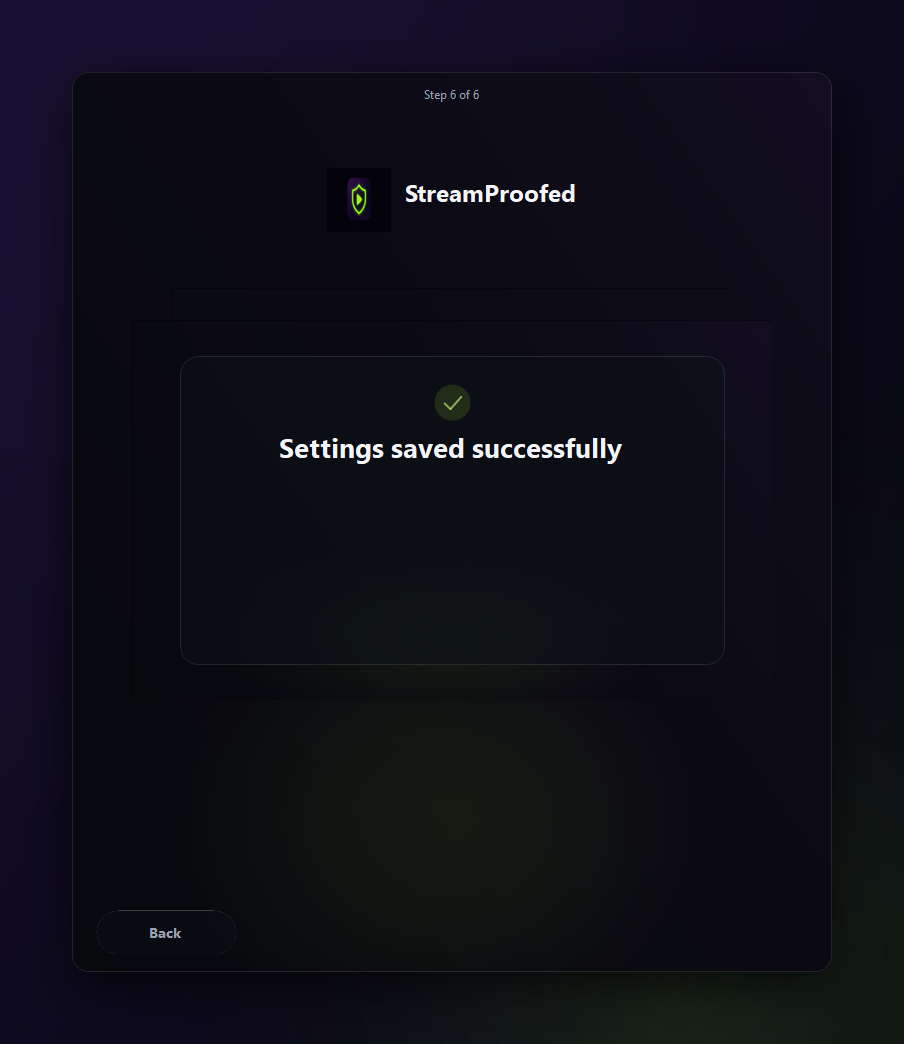
- Done. Press "Close OBS for me", and it applies everything and closes itself.
Music widget (optional)
Turn on Cadence and you get a small midnight-purple music-player widget with play, prev, next and progress. While the widget is open, OBS stays off your desktop and taskbar, and you hear an NVIDIA-style chime when a clip saves. Press play and OBS opens, press again to tuck it away. Tip: Right-click to change settings. Next time, open Cadence from its desktop shortcut. It's still OBS underneath (obs64.exe).

An NVIDIA-style chime when a clip saves
Press F12 and StreamProofed Configurator plays an NVIDIA-style chime when a clip saves, so you know it landed without alt-tabbing.
Can't use your FiveM clips? Easy OBS settings for FiveM
OBS can be confusing to set up: clipping usually means 40 settings and a tutorial. StreamProofed Configurator sets only the ones that matter for FiveM clips, in a couple of clicks, and you can change any of them afterwards. Walkthrough: FiveM NVIDIA clips guide.
Get clips in NVIDIA Alt+Z with Testicle Bypass
StreamProofed Configurator sets up OBS. Testicle Bypass clips only the game, and your clips still land in your Alt+Z gallery. See how StreamProofed clips land in NVIDIA Alt+Z. Try Bypass with a Day Pass ($3.99, a one-day tryout, not a subscription), then pick a longer plan on the pricing page.
Guides: StreamProofed clips in Alt+Z · FiveM OBS clip guide · Bypass pricing · Is it a cheat?
$2.99 a month, cancel anytime
A subscription you can cancel anytime. Sold separately from Testicle Bypass. Secure checkout by Lemon Squeezy.
Subscribe, $2.99/moFAQ
What does StreamProofed Configurator do?
With OBS closed, it backs up your OBS profile, then turns on Replay Buffer (2 minutes / 120 s, 2048 MB), sets a Save Replay hotkey (F12 if nothing is bound), saves clips as mp4 to Videos\NVIDIA\Desktop, picks NVENC p5 on NVIDIA GPUs, and can set optional mic push-to-talk.
Do I need OBS installed first?
Yes. StreamProofed Configurator finds OBS but doesn't install it. If OBS is missing, it shows a "Download OBS" link.
Does it back up my OBS settings?
Yes. It backs up your OBS profile before changing anything.
What does the music-player widget do?
It looks like a small music widget (play, prev, next, progress). It keeps OBS off your desktop and taskbar, and plays an NVIDIA-style chime when a clip saves. Press play and OBS opens, press again to tuck it away. Tip: Right-click to change settings. It's still OBS underneath (obs64.exe).
Will I know when a clip saved?
Yes. It plays an NVIDIA-style chime when a clip saves.
Is StreamProofed Configurator a cheat?
No. Not a cheat. No inject. It only changes OBS settings and doesn't touch any game.
Is it made by OBS?
No. StreamProofed Configurator is made by StreamProofed. It works with OBS but isn't affiliated with the OBS Project.
Do I need Testicle Bypass too?
StreamProofed Configurator sets up OBS. Testicle Bypass is what puts your clips in your NVIDIA Alt+Z gallery.
How much is it?
$2.99 a month. It's a subscription you can cancel anytime.